Clean The Backrooms Guides Hub
First hour through lights-out survival — every walkthrough in one place.
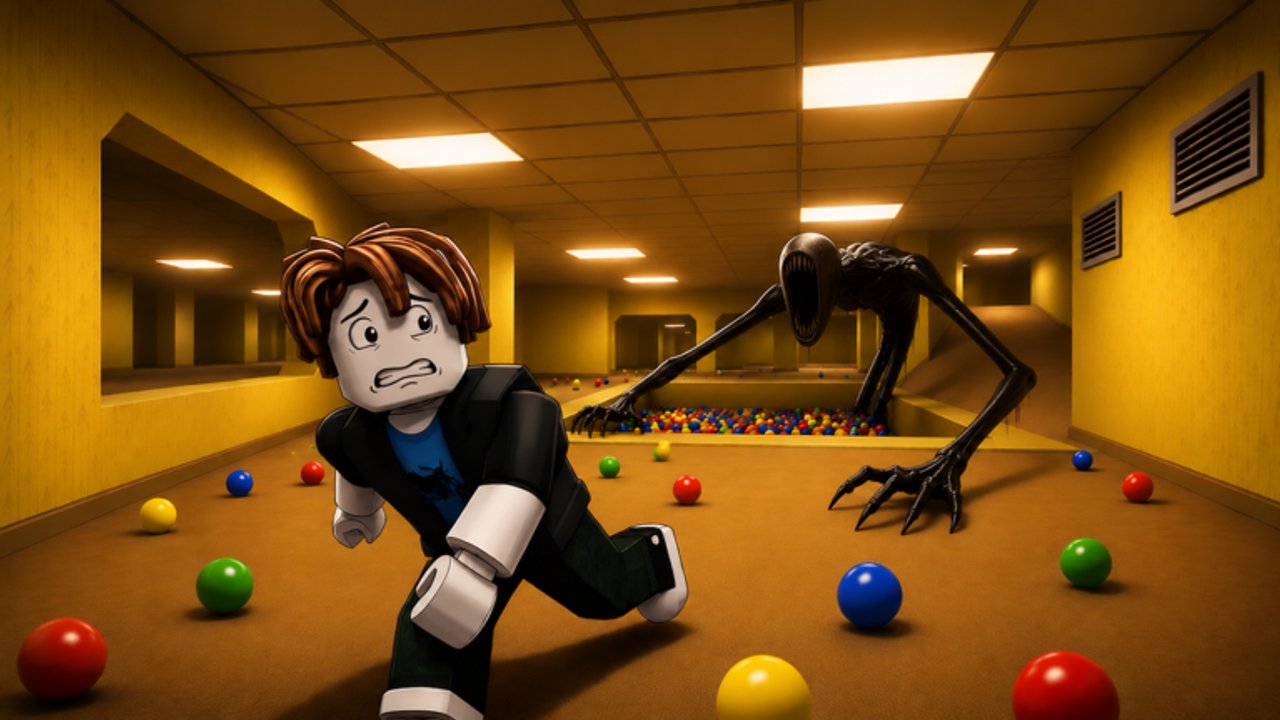
Welcome to the Clean The Backrooms! [Anomaly] guides hub. This Roblox experience from Playroom Studio mixes incremental cleaning with liminal horror: you scoop plastic balls into pits, bank cash, buy tools and upgrades, unlock rooms with keys, and stay alert when the lights die and anomalies hunt the halls. Sessions support online co-op with up to 24 players, so solo routes and squad splits both matter.
Use this page as your map. Each guide below is written for search intent players actually type — how to start, how to clean faster, when to buy keys, how to survive lights-out, which upgrades to stack, and how controls feel on PC, mobile, and console. Cross-link between siblings as you play; the loop rewards players who plan the next purchase before the next pit fill.
Start here
New cleaners should open Getting Started first. It covers joining the place, reading the ball-pit economy, earning your first cash, and the early fork between a cheap Waiting Area key (~10 cash) and your first upgrades. It also flags lights-out awareness so you are not caught mid-hallway on day one. Pair it with Controls if you need platform-agnostic interact, carry, store, and sprint expectations before you optimize routes.
Redeem anything live on the Codes hub before you sink a long grind — free cash or tools can skip awkward early bottlenecks. When you are ready to rank purchases, keep the Tier List open beside the upgrades guide.
Cleaning speed and tools
Once the loop clicks, move to How to Clean Fast. That guide focuses on ball collection routes, pit-filling efficiency, and when to dump inventory instead of overstuffing a run. It compares the main tools — vacuum, broom, and leaf blower — and explains how co-op teams should split rooms so two players are not vacuuming the same corner while a third pit sits empty.
Tool choice is not fashion; it is bottleneck removal. Vacuums shine for continuous pickup, brooms shove piles toward pits or teammates, and leaf blowers herd balls across open floors. The fast-clean page ties those roles to dump timing and multiplayer lane assignments so cash per minute climbs without burning stamina on wasted walks.
Keys, rooms, and progression mindset
Cash spent on a key is cash not spent on magnets or pockets. Keys and Rooms walks through key economy, the early Waiting Area door, later room unlocks, and a practical rule of thumb for key versus upgrade decisions. The right call depends on whether your current rooms still have dense, unfinished pits or whether you are starving for new ball density. That guide keeps progression mindset front and center so you do not soft-lock your pace behind a pretty door you cannot exploit yet.
For a theme-by-theme map of Ball Pit, Poolrooms, Atrium, and Party Room / Playrooms aesthetics — plus how each wing ties to cash density, pit placement, and lights-out risk — open Rooms and Areas. When progression shifts from “next density refill” into late key objectives and ending routes, continue with Key Hunt and Ending so door buys stay purposeful instead of touristy.
Lights-out and anomalies
Clean The Backrooms is not only a cleaning sim. When lights-out events hit, hunters and anomalies spawn and the shift stops being cozy. Read Survive Lights Out for what changes when the lights fail, how to read audio cues, where safe spots tend to be, and whether you should keep dumping balls or drop everything and hide. Treat that page as mandatory before you stretch routes far from familiar pits late in a session.
Upgrades deep dive
For purchase order, soft caps, and tool synergies, open the Upgrades Guide. It covers Ball Magnet, Quick Hands, Big Pockets, Vacuum Collect, Longer Days, and how each upgrade changes the feel of vacuum, broom, and blower play. Early and mid-game recommended orders live there, with heavy pointers back to the Tier List so meta rankings and long-form reasoning stay aligned.
How to use this hub
- Finish Getting Started and skim Controls.
- Claim Codes, then buy either a first upgrade stack or the Waiting Area key using Keys and Rooms and the Upgrades Guide.
- Optimize routes with How to Clean Fast and rank buys on the Tier List.
- Learn themed wings on Rooms and Areas, then chase late objectives with Key Hunt and Ending.
- Drill Survive Lights Out before you farm deep rooms at night-cycle risk.
- Recheck Updates after patches so prices and spawn behavior stay current.
Co-op note
With up to 24 players online, communication beats heroics. Assign rooms, call lights-out, and agree whether the squad is saving for a shared key or stacking personal magnets. Guides on this hub assume both solo and group play; apply the same economy rules either way.
Bookmark this Guides Hub, then jump into the child pages linked above. Every article aims for practical depth — routes, purchase forks, and survival calls — so you spend more time cleaning pits and less time guessing the next door.
Frequently Asked Questions
Quick answers to the most common questions.
Which Clean The Backrooms guide should I read first?
Start with Getting Started for the first-hour loop, then Controls if inputs feel unclear. Move to How to Clean Fast and the Upgrades Guide once you have a few successful pit dumps.
Do these guides cover co-op?
Yes. The game supports online sessions up to 24 players. Cleaning and keys guides call out room splitting, shared key timing, and lights-out callouts for squads.
Where do codes and tier rankings live?
Active redeemables are on the Codes hub. Purchase priority rankings live on the Tier List, with long-form upgrade reasoning in the Upgrades Guide.
Is Clean The Backrooms only a cleaning game?
Cleaning is the core loop, but lights-out events spawn hunters and anomalies. Read Survive Lights Out before stretching long routes away from safe pits.